useContext
React Context is a way to manage state globally.
It can be used together with the useState hook to share
state between deeply nested components more easily than with
useState alone.
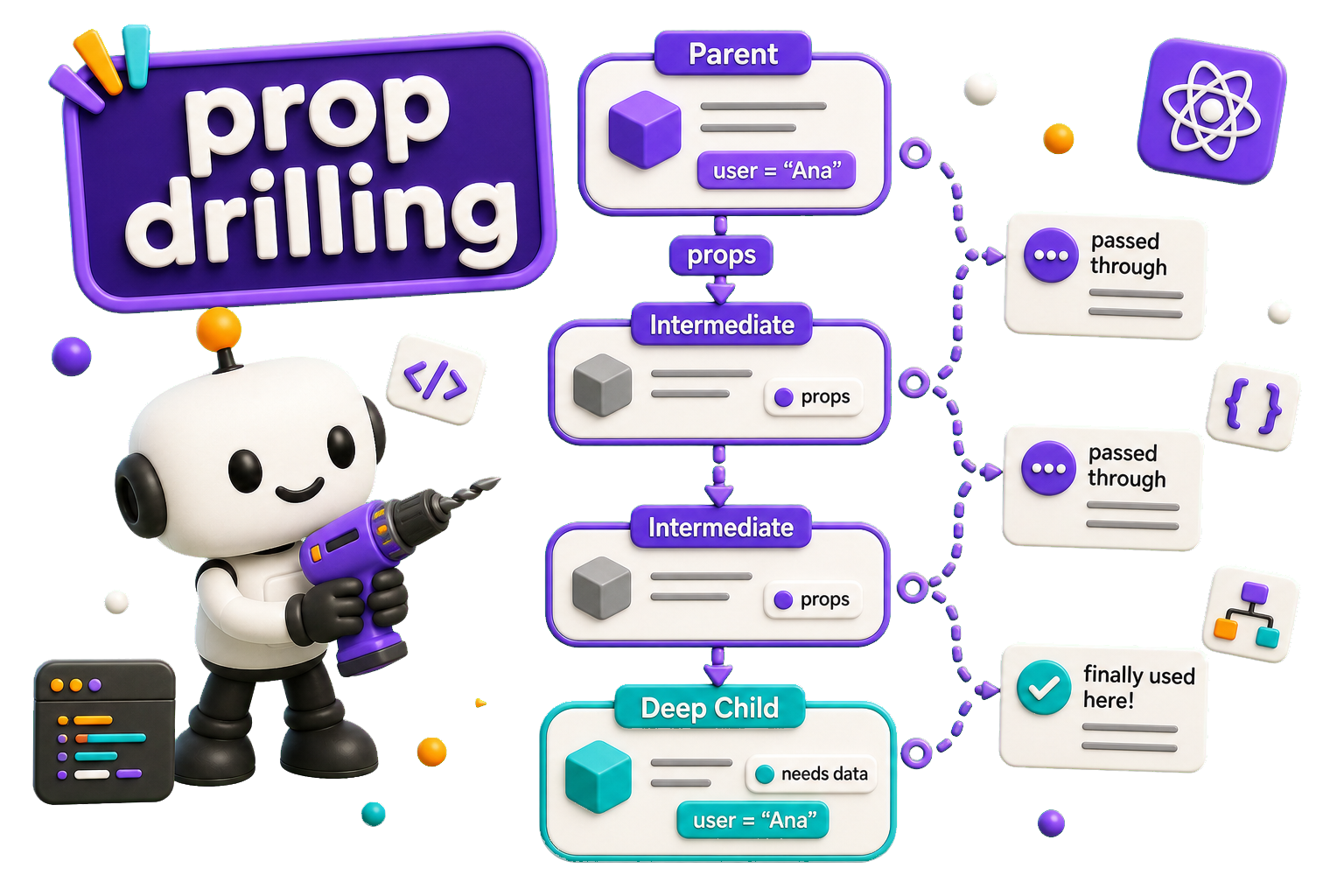
Prop Drilling
State should be held by the highest parent component in the
stack that requires access to the state.
To illustrate, we have many nested components. The component
at the top and bottom of the stack need access to the state.
To do this without Context, we will need to pass the state
as props through each nested component. This is called prop drilling.
Fix with useContext
Let's put the context creation in a separate file, so we can use it throughout our application. This basically just creates the global state we are going to work with.
Create the Context
File: src/context/FavoritesContext.tsx
import { createContext } from "react"

const FavoritesContext = createContext()

export default FavoritesContext

App.tsx
In App.tsx we are going to create a so called Provider for
our context by wrapping it in a Higher Order Component.
Next we define the state(s) (favorites) and the functions to manage that state
(addFavorites) into that Provider
import { useState } from 'react'
import FavoritesContext from './context/FavoritesContext'
import AddFavorite from './components/AddFavorite'
import ShowFavorites from './components/ShowFavorites'

const App = () => {

    const [favorites, setFavorites] = useState(["One", "Two"])

    const addFavorites = (fav) => {
        setFavorites( favs => [...favs, fav])
    }

    return (
        <FavoritesContext.Provider value={{ favorites, addFavorites }}>
            <h2>Favorites</h2>
            <ul>
                {
                    favorites.map((item, index) => {
                        return (
                            <li key={index.toString()}>{item}</li>
                        )
                    })
                }
            </ul>
            <AddFavorite />
            <ShowFavorites />
        </FavoritesContext.Provider>
    );
}

export default App;
AddContext
File: src/components/AddFavorite.tsx
import { useContext } from "react"
import FavoritesContext from "../context/FavoritesContext"

const AddFavorite = (props) => {
    const fav = useContext(FavoritesContext)

    return(
        <div>
            <h1>Add Favorite</h1>
            <button onClick={ () => fav.addFavorites("New favorite") }>
                Add Favorite
            </button>
        </div>
    )

}

export default AddFavorite
Breakdown
- line 2: Import the context
- line 5: use the
useContexthook to connect to theFavoritesContext - line 10: now we can call the functions provided by the context
ShowFavorites
In this component we illustrate how this context works throughout
the application. Same story as with the AddFavorite component
import { useContext } from "react"
import FavoritesContext from "../context/FavoritesContext"

const ShowFavorites = (props) => {
    const fav = useContext(FavoritesContext)

    return(
        <div>
            <h2>From ShowFavorites</h2>
            <ul>
                {
                    fav.favorites.map((item, index) => {
                        return (
                            <li key={index.toString()}>{item}</li>
                        )
                    })
                }
            </ul>
        </div>


    )
}
export default ShowFavorites
Now also add this component to AddFavorite and see what happens!