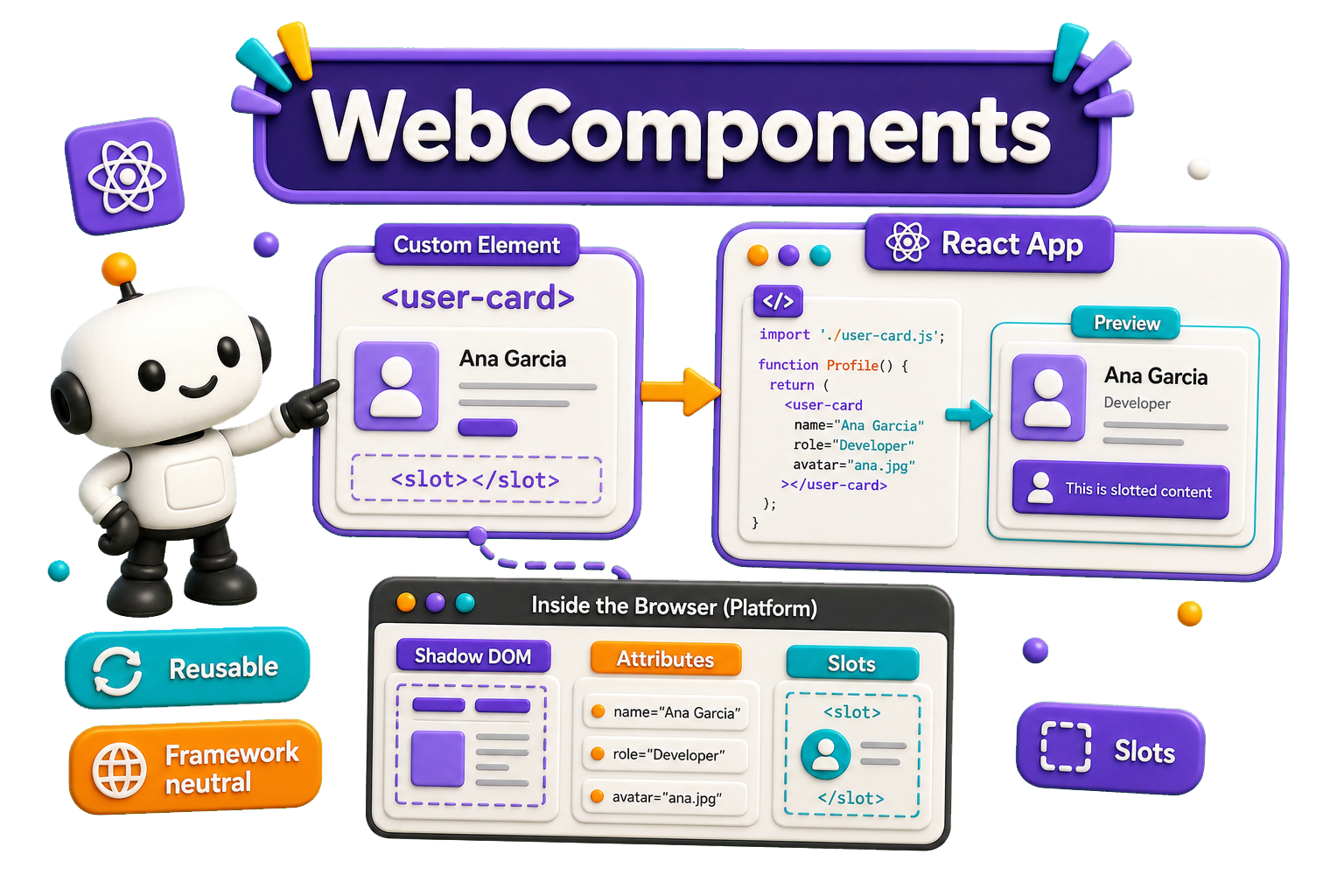
What are Web Components?
Web components are a set of web platform APIs that allow you to create new custom, reusable, encapsulated HTML tags to use in web pages and web apps. Custom components and widgets build on the Web Component standards, will work across modern browsers, and can be used with any JavaScript library or framework that works with HTML.
Web components are based on existing web standards. Features to support web components are currently being added to the HTML and DOM specs, letting web developers easily extend HTML with new elements with encapsulated styling and custom behavior.
Specifications
Web components are based on four main specifications:
- Full specs: https://github.com/WICG/webcomponents
- Custom Elements The custom Elements specification lays the foundation for designing and using new types of DOM elements.
- Shadow DOM The shadow DOM specification defines how to use encapsulated style and markup in web components.
- ES Modules The ES Modules specification defines the inclusion and reuse of JS documents in a standards based, modular, performant way.
- HTML Template The HTML template element specification defines how to declare fragments of markup that go unused at page load, but can be instantiated later on at runtime.
React
React -or JSX- more or less conceptually works like web-components: in React you also 'create' custom HTML elements. The big difference being, of course, JSX doesn't run in a browser and Web components do!
How to use
A Web Component most likely exists of at least two parts:
- The definition (a JavaScript-class) you need to import
- A specific tag - which is defined inside that import
Syntax
class AppDrawer extends HTMLElement {
    /// the code!
}
window.customElements.define('app-drawer', AppDrawer);
And calling it:
<app-drawer></app-drawer>