Create with React
To create a Web Component in React, we need some rethinking on the matter.
Let's say we want our Counter-component to used as a Web Component.
Create a new React app
First we create a new React-app:
npx create-react-app react-web-comp --template clean-cra
Next, we need some libraries to convert our component into a Web Component:
npm install prop-types react-to-webcomponent
# or
yarn add prop-types react-to-webcomponent
Clean up
Next, delete everything in your src folder.
package.json
Add a new (postbuild) script to package.json:
...
"scripts": {
  "start": "react-scripts start",
  "build": "react-scripts build",
  "postbuild": "mv build/static/js/main*.js build/static/js/main.min.js",
}
...
This postbuild script executes after a successful build
and converts the filename of build/static/js/main.[some-hash-code].js to
build/static/js/main.min.js.
The purpose of this is to get a steady filename, so we don't need to change our test (and/or production) file everytime the build changes.
constants.js
Since we are going to dispatch custom events to the DOM, we need some unique identifiers for this.
File src/constants.js
const prefix = "WEBCOMP-";
const reactPrefix = "REACTCOMP-";

export default {
    prefix,
    reactPrefix,
    react:{
        actualValue: `${prefix}${reactPrefix}actualValue`,
        incValue: `${prefix}${reactPrefix}incValue`,
        decValue: `${prefix}${reactPrefix}decValue`,
    }
}
Counter.js
Now let's add our Counter-component:
import React, { useEffect, useState } from 'react';
import PropTypes from 'prop-types';

import event from './constants'

const Counter = ({ defaultValue = 0 }) => {
  const [count, setCount] = useState(Number(defaultValue || 0))

  /// Make sure we have a value and it's a number
  useEffect(() => {
    if (defaultValue !== count && !Number.isNaN(defaultValue)) setCount(Number(defaultValue));
  }, [defaultValue])

  /// Listen of updates of count (button pressed)
  useEffect(() => {
    const customEvent = new CustomEvent(event.react.actualValue, { detail: count });
    window.dispatchEvent(customEvent)
  }, [count]);

  /// Increasee count event
  const onInc = () => {
    setCount((prev) => prev + 1)
    const customEvent = new CustomEvent(event.react.incValue, { detail: count });
    /// Communicate with DOM!!!!
    window.dispatchEvent(customEvent)
  };

  /// Decrease count event
  const onDec = () => {
    setCount((prev) => prev - 1)
    const customEvent = new CustomEvent(event.react.decValue, { detail: count });
    /// Communicate with DOM!!!!
    window.dispatchEvent(customEvent)
  };

  return (
    <div>
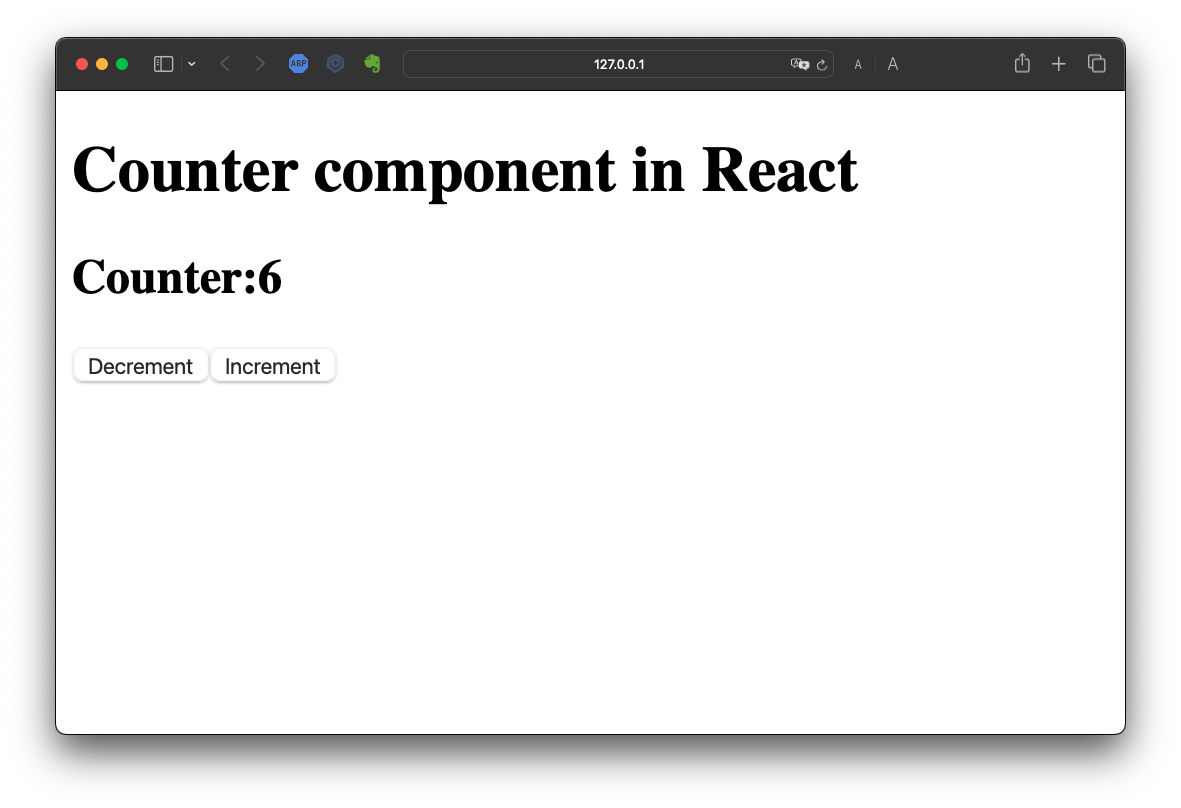
      <h2>
        Counter:
        <b>{count}</b>
      </h2>
      <button type="button" onClick={onDec}>Decrement</button>
      <button type="button" onClick={onInc}>Increment</button>
    </div>
  );
};

Counter.propTypes = {
  defaultValue: PropTypes.number.isRequired,
}

export default Counter
index.js
Our index.js file is going to have some drastic changes:
import React from 'react'
import ReactDOM from 'react-dom'
import PropTypes from 'prop-types'

import reactToWebComponent from 'react-to-webcomponent'


import Counter from './Counter'

const Index = ({ startvalue = 0}) => (
  <div id="webcomp-counter">
    <h1>Counter component in React</h1>
    <Counter defaultValue={startvalue} />
  </div>
)

Index.propTypes = {
  startvalue: PropTypes.number.isRequired,
}
/// Instead of 'createRoot'
customElements.define('react-counter', reactToWebComponent(Index, React, ReactDOM))
Let's build it!
Now we are ready and we can build our Web Component:
npm rum build
# or
yarn build
If everything compiled successfully, you'll see the main.hash.js-file
being renamed
Test it!
Now create a file index.html in the root of your
project:
<!DOCTYPE html>
<html lang="en">
<head>
    <meta charset="UTF-8">
    <meta http-equiv="X-UA-Compatible" content="IE=edge">
    <meta name="viewport" content="width=device-width, initial-scale=1.0">
    <title>Document</title>

    <script defer="defer" src="./build/static/js/main.min.js"></script>
</head>
<body>
    <react-counter startvalue="0"></react-counter>
</body>
</html>
And you can run and test this with LiveServer